Modern travel demands constant connectivity, yet public Wi-Fi networks often fail travelers when they need them most. A travel router transforms unreliable connections into secure, personal networks that follow you everywhere.

Whether you’re working remotely from a Bali beach cafe, streaming entertainment in a London hotel, or coordinating family activities across multiple devices during a road trip, mastering travel router and hotspot configurations eliminates connectivity frustrations. These compact devices have revolutionized how digital nomads, business travelers, and adventure seekers stay connected without compromising security or performance.
🌐 Understanding Travel Routers: Your Portable Network Command Center
A travel router serves as a miniaturized networking hub that creates a private Wi-Fi network from various internet sources. Unlike your smartphone’s hotspot feature, these specialized devices offer advanced security protocols, support multiple simultaneous connections, and provide bridge capabilities that transform weak signals into robust networks.
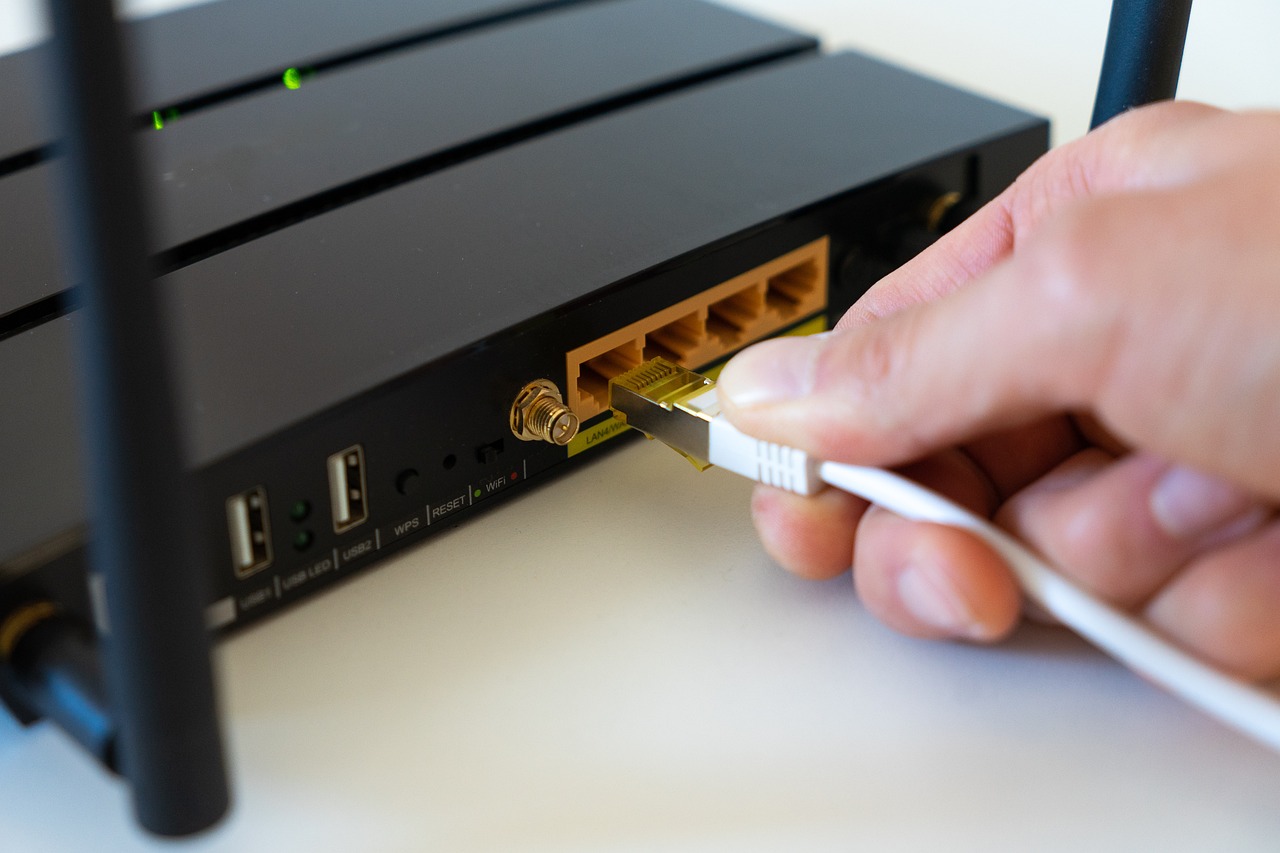
Travel routers typically measure smaller than a deck of cards and weigh under 200 grams, making them perfect companions for any journey. They accept internet input from hotel ethernet ports, public Wi-Fi networks, cellular USB modems, or even tethered smartphones, then broadcast a secure network exclusively for your devices.
Key Advantages Over Standard Hotspot Solutions
While smartphone hotspots offer convenience, travel routers deliver superior performance across multiple dimensions. Battery efficiency stands paramount—your phone remains available for calls and navigation while the dedicated router handles data distribution. Security features include VPN client support, WPA3 encryption, and firewall protection that smartphone hotspots rarely provide.
Travel routers also eliminate the connection limit frustrations common with mobile hotspots. Most smartphones restrict tethering to 5-10 devices, whereas quality travel routers comfortably support 20+ simultaneous connections, perfect for families or small business teams traveling together.
🔧 Essential Configuration Steps for Travel Router Mastery
Proper configuration transforms your travel router from a simple device into a powerful networking tool. The initial setup requires attention to detail but rewards you with seamless connectivity throughout your travels.
First-Time Setup Protocol
Begin by connecting your travel router to power and accessing its administration interface through the provided default IP address, typically 192.168.8.1 or similar. Most modern travel routers feature companion mobile apps that simplify this process considerably.
Change the default administrator password immediately—this represents your first line of defense against unauthorized access. Select a unique SSID (network name) that you’ll easily recognize in crowded Wi-Fi environments without revealing personal information. Avoid names like “John’s Router” and opt for neutral identifiers instead.
Configure your preferred security protocol, with WPA3 being ideal for maximum protection, though WPA2-PSK remains acceptable for broader device compatibility. Create a strong network password combining uppercase and lowercase letters, numbers, and special characters—minimum 12 characters provides adequate security.
Advanced Settings for Power Users
Dive into advanced settings to maximize your travel router’s potential. Enable MAC address filtering if you’re concerned about unauthorized access, though this requires manually approving each device you want to connect. Set up a guest network with bandwidth limitations for acquaintances who need temporary internet access without compromising your primary network’s performance.
Configure DNS settings to use secure, fast providers like Cloudflare (1.1.1.1) or Google (8.8.8.8) for improved browsing speed and reliability. Enable the router’s built-in VPN client if available, connecting to your preferred VPN service before any data leaves your personal network—this encrypts all traffic from every connected device simultaneously.
📱 Smartphone Hotspot Optimization for Emergency Connectivity
Despite travel routers’ advantages, your smartphone’s hotspot capability remains invaluable for emergency situations or ultra-light packing scenarios. Optimizing these settings ensures maximum performance when you rely on mobile connectivity.
Android Hotspot Configuration Best Practices
Android devices offer extensive hotspot customization through Settings > Network & Internet > Hotspot & Tethering. Select the 5GHz frequency band when available for faster speeds and less interference in crowded environments, though note that older devices may only detect 2.4GHz networks.
Enable the “Turn off hotspot automatically” feature to preserve battery life when no devices are connected. Configure the AP Band setting to “2.4GHz & 5GHz” for maximum compatibility, allowing modern devices to connect via 5GHz while supporting legacy hardware through 2.4GHz.
Adjust the maximum connections setting based on your needs—limiting connections to only necessary devices improves performance for everyone and reduces battery drain. Monitor data usage through your hotspot settings to avoid exceeding carrier limits that might trigger throttling or overage charges.
iOS Hotspot Enhancement Strategies
iPhone users access Personal Hotspot through Settings > Cellular > Personal Hotspot. iOS automatically selects optimal frequencies and channels, simplifying configuration but offering less customization than Android counterparts.
Enable “Maximize Compatibility” only when older devices struggle to connect, as this mode restricts performance by forcing 2.4GHz operation. Configure “Allow Others to Join” to require password authentication, preventing automatic connections without your approval.
Family Sharing enables automatic hotspot access for trusted devices without password entry—convenient for parents managing children’s devices or couples sharing connectivity. This feature works seamlessly when all devices use the same Apple ID family group.
🔒 Security Protocols: Protecting Your Mobile Network
Security considerations intensify when creating portable networks in unfamiliar environments. Implementing comprehensive protection strategies prevents unauthorized access and data interception.
Encryption Standards and Authentication Methods
WPA3 represents the current gold standard for wireless security, offering individualized data encryption that protects against password guessing attacks. However, WPA2-Personal (PSK) remains widely used due to its universal device compatibility.
Avoid WPA/WPA2 mixed modes unless absolutely necessary for legacy device support, as these compromise security to accommodate older standards. Never operate open networks without passwords, even temporarily—malicious actors can intercept unencrypted data within seconds.
Implement VPN protection at the router level when possible, encrypting all traffic before it reaches public networks. This approach protects every connected device simultaneously, including IoT gadgets and smart devices that can’t run VPN clients independently.
Threat Prevention and Network Monitoring
Regularly review connected devices through your router’s administration panel, disconnecting unfamiliar hardware immediately. Many travel routers feature notification systems that alert you when new devices attempt connections.
Change your network password periodically, especially after traveling through high-traffic areas where shoulder surfing might compromise credentials. Disable WPS (Wi-Fi Protected Setup) functionality, as this convenience feature introduces significant security vulnerabilities that sophisticated attackers exploit.
Enable your router’s firewall and intrusion detection systems, configuring alerts for suspicious activity patterns. These features consume minimal resources while providing substantial protection against common attack vectors.
⚡ Performance Optimization Techniques
Maximizing speed and reliability requires understanding interference sources, bandwidth allocation, and device prioritization strategies that enhance everyone’s connectivity experience.
Channel Selection and Frequency Management
Wi-Fi channels operate like radio stations—overcrowding causes interference and performance degradation. Use Wi-Fi analyzer applications to identify the least congested channels in your environment, typically channels 1, 6, or 11 for 2.4GHz networks.
The 5GHz band offers more channels with less interference but reduced range and wall penetration compared to 2.4GHz. Select 5GHz for bandwidth-intensive activities like video streaming or large file transfers when devices remain close to the router.
Enable channel bonding (40MHz or 80MHz channel width) on 5GHz networks when interference levels remain low, doubling or quadrupling theoretical throughput. Avoid wide channels on 2.4GHz in crowded environments, as the limited spectrum becomes saturated quickly.
Quality of Service (QoS) Configuration
QoS settings prioritize critical traffic over background activities, ensuring video calls don’t stutter while someone else downloads files. Configure device-based priorities for laptops and tablets used for work, relegating entertainment devices to lower priority tiers.
Application-based QoS assigns bandwidth priorities by traffic type—prioritizing voice and video communications over file downloads or software updates. This ensures consistent performance for latency-sensitive applications regardless of background activity.
Implement bandwidth limits for specific devices to prevent individual users from monopolizing connection capacity. This proves especially valuable when traveling with groups who have varying connectivity needs and courtesy levels.
🌍 Regional Considerations and International Travel
International adventures introduce regulatory variations, voltage differences, and network compatibility challenges that require preparation and adaptable equipment.
Frequency Band Regulations Across Borders
Different countries restrict specific Wi-Fi channels and frequency ranges based on local regulations. The 5GHz band particularly varies internationally—channels legal in the United States may be restricted in European Union countries or Asian nations.
Configure your travel router’s region setting to match your current location, ensuring compliance with local broadcasting regulations while optimizing available channel selection. Most quality routers automatically detect and adapt to regional requirements.
Research cellular frequency bands before purchasing USB modems or mobile hotspot devices for international use. North American devices often lack support for bands commonly used in Europe, Asia, or Africa, limiting functionality abroad.
Power Adaptation and Battery Management
Travel routers typically accept 100-240V input, but plug adapters remain necessary for physical socket compatibility. USB-powered models offer maximum flexibility, drawing power from portable batteries, laptop ports, or universal USB chargers.
Carry high-capacity power banks (20,000mAh+) to support extended travel router operation when electrical outlets prove scarce. Calculate runtime by dividing power bank capacity by router consumption—a 3W router operates approximately 65 hours on a 20,000mAh battery.
Enable power-saving features during low-activity periods, reducing transmission power or switching to 2.4GHz-only mode to extend battery life. Some advanced travel routers feature scheduling functions that automatically disable networks during predetermined hours.
🎯 Scenario-Specific Configuration Profiles
Different travel situations demand tailored network configurations that balance performance, security, and battery conservation based on environmental factors and usage requirements.
Hotel and Accommodation Settings
Hotels often require accepting terms and conditions through captive portals before granting internet access. Configure your travel router’s “Wi-Fi as WAN” mode to connect as a client device to the hotel network, then broadcast your personal network to bypass the need for multiple authentications.
Clone your laptop’s MAC address if the hotel restricts connections to a single registered device. This technique makes your router appear as the authorized device while distributing connectivity to all your hardware.
Prioritize security in shared accommodations by enabling all available encryption and firewall features. Hotel networks frequently host numerous guests with varying security awareness, increasing exposure to potential threats.
Transportation and Mobile Environments
Vehicles, trains, and buses introduce unique challenges including power constraints, signal interference, and frequent network transitions. Configure aggressive roaming settings to quickly switch between available networks as your location changes.
Reduce transmission power in confined spaces like train compartments to minimize battery consumption while maintaining adequate coverage. Connect to available ethernet ports on trains or buses when offered, as wired connections typically provide superior performance compared to wireless alternatives.
Set up connection bonding if your travel router supports multiple simultaneous internet sources, combining hotel Wi-Fi with cellular backup for uninterrupted connectivity during transitions or weak signal periods.
Remote and Low-Infrastructure Locations
Rural areas and developing regions often feature limited internet infrastructure with slow, unreliable connections. Enable data compression features in your router settings to maximize the utility of limited bandwidth.
Configure aggressive caching and content filtering to prevent automatic updates and background synchronization from consuming precious bandwidth. Create usage policies that restrict video streaming quality to standard definition when connection speeds drop below specific thresholds.
Consider satellite internet solutions for truly remote locations lacking terrestrial infrastructure. Modern portable satellite terminals provide global coverage, though typically at higher latency and cost compared to traditional broadband.
🔄 Troubleshooting Common Connectivity Challenges
Even properly configured networks occasionally encounter problems requiring systematic diagnostic approaches to identify and resolve issues quickly.
Connection Stability Problems
Intermittent disconnections typically stem from interference, overheating, or signal strength issues. Relocate your travel router away from microwave ovens, cordless phones, and other electronic devices that generate 2.4GHz interference.
Ensure adequate ventilation around your router, as thermal throttling reduces performance and stability when internal temperatures exceed operational specifications. Position devices vertically rather than stacked horizontally to maximize airflow.
Update firmware regularly to address known bugs and security vulnerabilities. Manufacturers frequently release patches that resolve stability issues discovered after product launch, significantly improving reliability.
Speed and Performance Degradation
Slower-than-expected speeds require isolating whether limitations exist in the source connection, router processing, or wireless distribution. Connect a device directly to the source network to establish baseline performance expectations.
If direct connections achieve satisfactory speeds but router-distributed connections underperform, investigate wireless interference, outdated firmware, or excessive device loads. Reduce connected device count temporarily to determine if router capacity represents the bottleneck.
Verify that your travel router’s WAN port supports adequate speeds for your internet connection. Some budget models feature 100Mbps ethernet ports that limit performance even when faster internet remains available.
💡 Future-Proofing Your Mobile Connectivity Setup
Technology evolves rapidly, but strategic equipment selection and configuration practices ensure your mobile networking solution remains effective for years.
Emerging Standards and Technologies
Wi-Fi 6 (802.11ax) and Wi-Fi 6E offer substantial improvements over previous standards, including better performance in congested environments and support for more simultaneous devices. While current travel routers predominantly feature Wi-Fi 5 (802.11ac), investing in Wi-Fi 6 capable hardware provides longevity as device ecosystems modernize.
5G cellular integration transforms travel routers into truly universal connectivity solutions, eliminating dependence on available Wi-Fi networks. Devices with 5G modem support access cellular networks directly, providing backup connectivity when traditional infrastructure proves inadequate.
Mesh networking capabilities in travel router systems enable coverage expansion for larger accommodations or group travel scenarios. Multiple coordinated units create seamless networks that maintain consistent performance throughout extended areas.
Sustainable and Adaptable Solutions
Select equipment with accessible firmware updates and active manufacturer support communities that extend useful lifespan through continuous improvements. Open-source firmware options like OpenWrt provide advanced customization and ongoing security patches for compatible hardware long after manufacturers discontinue official support.
Modular systems with replaceable batteries and interchangeable connectivity modules adapt to changing needs without requiring complete replacement. This approach reduces electronic waste while providing flexibility as your travel patterns and requirements evolve.
🚀 Taking Your Connectivity Skills to the Next Level
Mastering travel router and hotspot configurations liberates you from connectivity anxiety, transforming unpredictable public networks into reliable, secure personal infrastructure. The skills and strategies outlined here empower you to work, communicate, and entertain yourself anywhere your adventures lead.
Start with basic configurations that establish secure, functional networks, then gradually implement advanced optimizations as you become comfortable with your equipment’s capabilities. Document your successful configuration profiles for different scenarios, creating personal templates that simplify setup in future destinations.
The investment in quality networking equipment and configuration knowledge pays dividends through countless hours of frustration avoided and opportunities captured. Whether closing business deals from a remote beach, coordinating family activities across multiple devices, or simply enjoying entertainment during downtime, seamless connectivity enhances every aspect of modern travel.
Your journey toward connectivity mastery begins with a single configuration—take time to properly set up your equipment before your next adventure, and you’ll discover that staying connected anywhere becomes second nature rather than a constant struggle. The freedom and peace of mind that reliable mobile networking provides transforms travel from a potentially stressful disconnect into truly stress-free adventures where you remain as connected as you choose to be. 🌟